
 Login
Login- Embracing Dark Mode in WordPress Themes
- Understanding Dark Mode
- Why Default Dark Mode Matters
- Enhanced User Experience
- Accessibility
- Integrating Dark Mode Support in WordPress Themes
- 1. Leveraging CSS Variables
- 2. Utilizing JavaScript for Theme Switching
- Testing and Optimization
- Conclusion
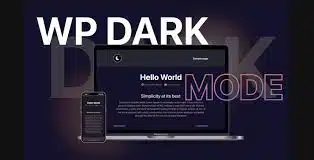
Embracing Dark Mode in WordPress Themes
As digital interfaces evolve, the demand for user-friendly design becomes paramount. One standout feature that has gained popularity is dark mode. While initially seen as a mere aesthetic choice, dark mode significantly enhances user experience, especially in low-light environments. For WordPress developers, incorporating native dark mode support into themes is a game-changer, allowing for improved usability and catering to user preferences.
Understanding Dark Mode
Dark mode shifts the typical color palette from light to dark, reducing glare and minimizing eye strain. It not only offers a sleek visual appeal but can also extend battery life on OLED screens. Users can customize their experience, making it essential for modern web design. Research indicates that users often prefer dark interfaces for reading and navigating, particularly during evening hours.
Why Default Dark Mode Matters
Enhanced User Experience
By designing WordPress themes with dark mode enabled by default, developers can provide an immediate sense of comfort to users. When website visitors encounter a site that respects their preferences, it fosters a sense of loyalty and satisfaction. Themes that automatically support dark mode demonstrate an understanding of cognitive load and visual fatigue, ultimately enhancing the user experience.
Accessibility
One of the significant benefits of dark mode is enhanced accessibility. For users with certain visual impairments, dark themes can make text easier to read. Implementing dark mode can align a theme with WCAG (Web Content Accessibility Guidelines) standards, making websites more inclusive for all users.
Integrating Dark Mode Support in WordPress Themes
Developers looking to design WP themes with native dark mode support have several approaches at their disposal:
1. Leveraging CSS Variables
CSS variables provide a powerful method for implementing dark mode within WordPress themes. By defining color schemes using these variables, developers can easily switch between light and dark themes without extensive rewrites.
For example, create a set of CSS variables for light and dark modes:
:root {
    --background-color: white;
    --text-color: black;
}

@media (prefers-color-scheme: dark) {
    :root {
        --background-color: black;
        --text-color: white;
    }
}

body {
    background-color: var(--background-color);
    color: var(--text-color);
}
This approach ensures a seamless user experience that responds dynamically to user settings.
2. Utilizing JavaScript for Theme Switching
Incorporating a JavaScript solution allows users to toggle between light and dark modes manually. By saving their preference in local storage, developers can ensure that the setting persists across sessions. This offers users greater customization and responsiveness, catering to individual preferences.
const toggleDarkMode = () => {
    document.body.classList.toggle("dark-mode");
    localStorage.setItem("dark-mode", document.body.classList.contains("dark-mode"));
};

document.addEventListener("DOMContentLoaded", () => {
    const darkModePreference = localStorage.getItem("dark-mode");
    if (darkModePreference === "true") {
        document.body.classList.add("dark-mode");
    }
});
Testing and Optimization
After integrating dark mode support, rigorous testing is crucial. Test across different devices, screen resolutions, and operating systems to ensure a consistent experience. Pay attention to elements such as contrast ratios and readability of text. This step guarantees that your theme not only looks good but functions effectively across a wide range of user scenarios.
Conclusion
Designing WordPress themes with native dark mode support not only enhances aesthetic appeal but also significantly improves user experience and accessibility. By keeping user preferences in mind and adopting flexible design strategies, developers can build modern, inclusive themes that resonate with a diverse audience. As dark mode continues to gain traction, integrating this feature becomes less of an option and more of a necessity for successful web design. Embrace this trend, and set your themes apart in an ever-evolving digital landscape.


